How do I give members something for their birthday?
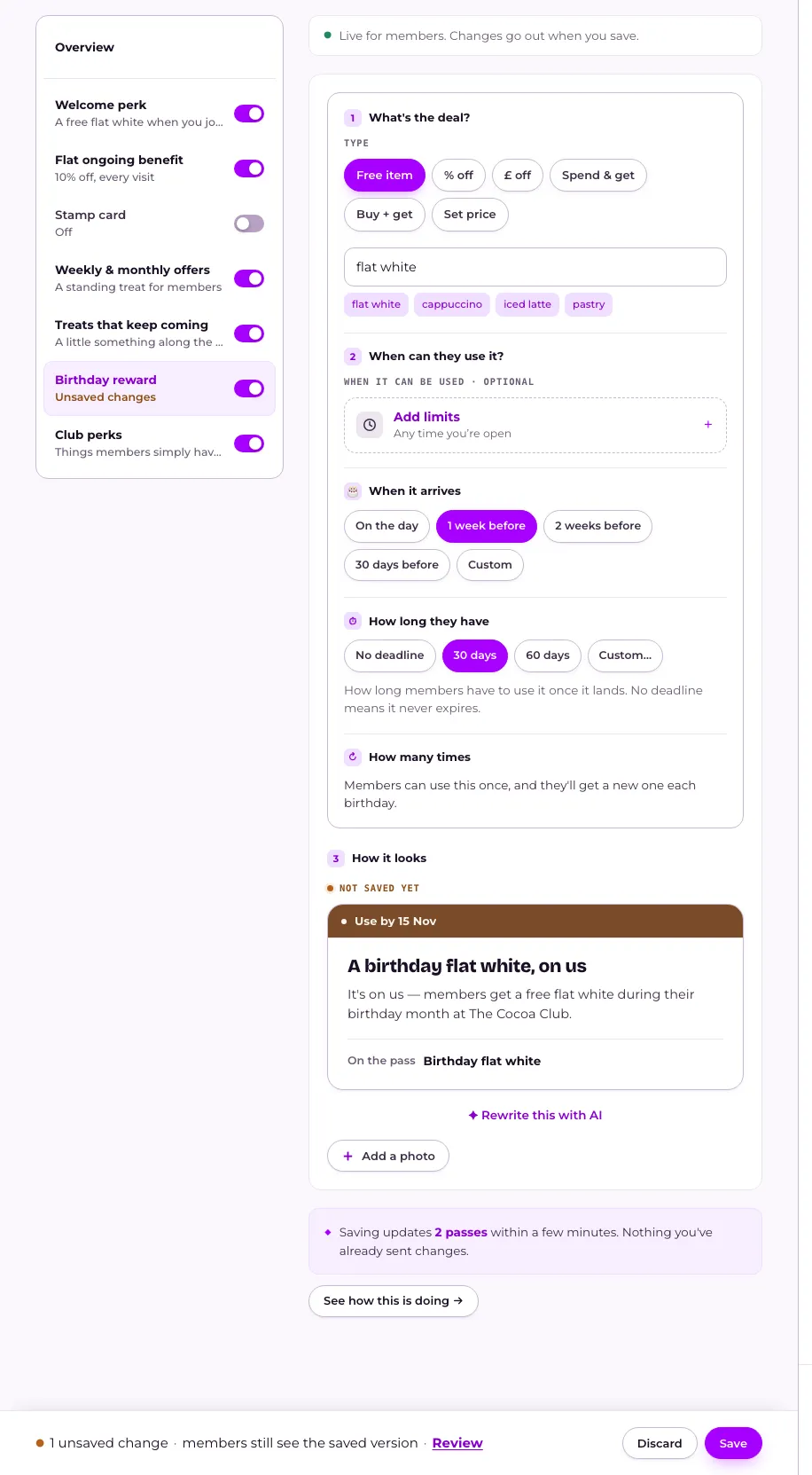
Open Your club, press Birthday reward in the menu on What members get, choose what it gives and When it arrives, then press Save. Members are asked for their birthday after they join. To ask on the join form instead, set Birthday to At sign-up under What you ask members.
Last checked 31 October 2026
Give members something in their birthday week. Open Your club, press Birthday reward in the menu on What members get, and set what it gives and how far ahead it lands.
- Open Your club → What members get and press Birthday reward in the menu on the left. If it says Switched off, press Switch on and set it up.
- Set the offer itself under The offer — what it gives.
- Under When it arrives, choose On the day, 1 week before, 2 weeks before, 30 days before, or Custom.
- On a computer, under How long they have, choose how long members get to use it once it lands.
- Press Save in the bar at the bottom of the page. On a phone, an offer opens in a full-screen editor: step through it and press Save at the top right. Until then, members still see the saved version. See When do members see the changes I make?
What happens next
Section titled “What happens next”Once it’s on, members are asked for their birthday after they join. To ask on the join form instead, set Birthday to At sign-up under Settings → What you ask members. See How do I collect birthdays or postal addresses from new members?
Each member gets the reward once a year, issued around their birthday by the lead time you set. Changing what it gives, or when it arrives, only affects rewards issued afterwards.
How members hear about it is a three-step run: Arrives, On the day and a reminder before it ends. Each step has its own switch, its own choice of Push, Email or Text, and wording you can change with Edit wording, and Back to our wording undoes it. A text goes instead of the push for a member with a verified mobile, and costs 1 credit. See How do my members hear about an automated offer?
The reward goes only to members with a birthday on file, whether or not they’ve been in lately, and not to anyone who joined after it was due that year. See Do members who aren’t active still get my offers?
Related
Section titled “Related”© Flub 2026 | What's new | useflub.com
Flub is a trading name of FLUB INDUSTRIES LTD, a company registered in England and Wales (no. 17491066). Registered office: The Workstation, 15 Paternoster Row, Sheffield, S1 2BX, United Kingdom.