How do I invite someone to help run my club?
On the Team page, press Invite someone, add their email and tick which clubs they can get into, then press Send the invitation. They can open exactly the clubs you tick — nothing else.
Last checked 26 September 2026
Open Team, press Invite someone, add their email and tick which clubs they can get into, then press Send the invitation.
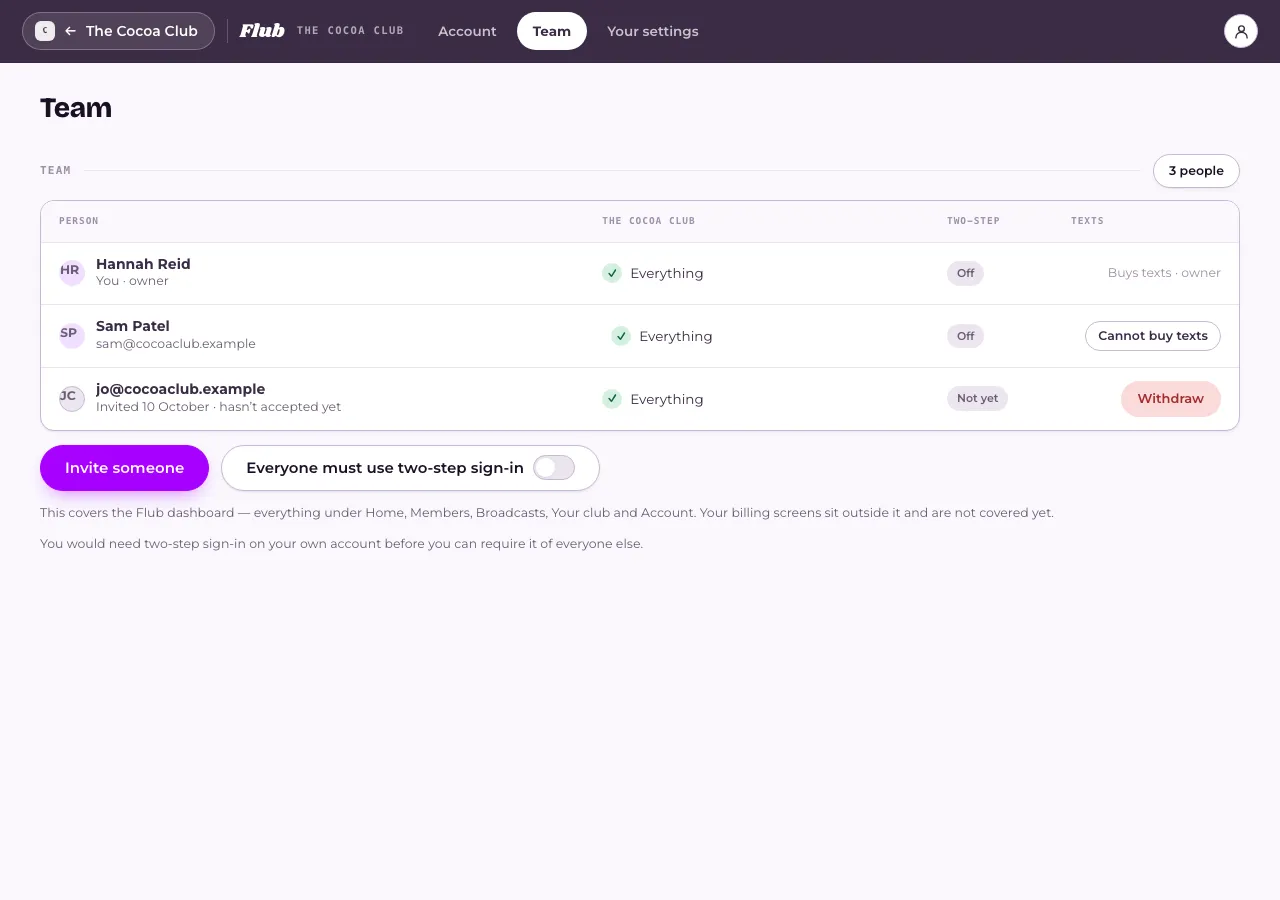
- Open Team from your account menu.
- Press Invite someone.
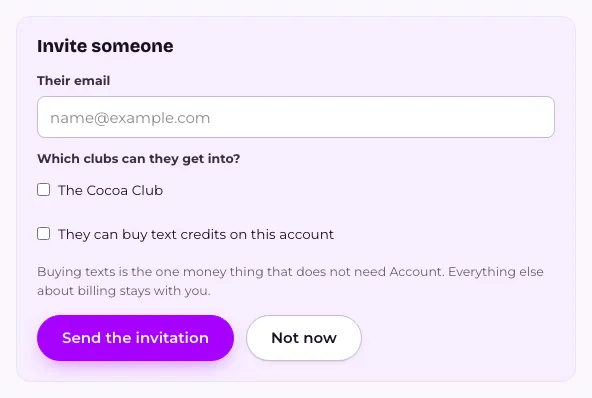
- Type Their email, then tick the clubs under Which clubs can they get into?.
- If they should be able to buy text credits for the account, tick They can buy text credits on this account.
- Press Send the invitation.
What happens next
Section titled “What happens next”Access is per club — a teammate can only open the clubs you’ve ticked for them, nothing more. There are no other roles: it’s either everything on a club, or nothing.
They can’t see your billing, plan or invoices — that stays with you, the owner, unless you’ve also ticked that they can buy texts. Once they’re on the team, you can change which clubs they reach, reset their two-step sign-in, or withdraw an invitation they haven’t accepted yet, all from the same Team page.
If your business requires two-step sign-in, they’ll need to set it up before they can use the dashboard.
Related
Section titled “Related”© Flub 2026 | What's new | useflub.com
Flub is a trading name of FLUB INDUSTRIES LTD, a company registered in England and Wales (no. 17491066). Registered office: The Workstation, 15 Paternoster Row, Sheffield, S1 2BX, United Kingdom.