How do I let someone join my club free?
On a club that charges for membership, open Members, press ⋯, then Invite someone free, and create a link. Whoever opens it joins like any member but is never asked for a card, and they don't count towards your club's numbers or your Flub bill. It's the way to join your own club, or give your manager a membership.
Last checked 12 October 2026
If your club charges for membership, you can send someone a link to join free. It’s how you join your own club to see exactly what your members see, or give a manager or someone on your staff a membership.
A free invite is open-ended and costs nothing. If a customer wants to buy a fixed-length membership for someone else, that’s a gift membership instead.
Before you start
Section titled “Before you start”You can only invite someone free once your club has launched and is ready to take payments: payments set up and a membership price set. Until then, the Free invites page tells you what’s left to do instead of showing the button. Before you launch, it says Free invites open once you launch. While you’ve paused new members, free invites are paused too.
- Open Members.
- Press ⋯ at the end of the search box’s row, then Invite someone free.
- On Free invites, press Invite someone free.
- If you like, type who it’s for under Who’s this for? (optional), like “Me” or “the manager”.
- Press Create link.
- Press Copy link and send it to them, or let them scan the code with their phone. Copy it now, because it can’t be shown again.
- Press Done.
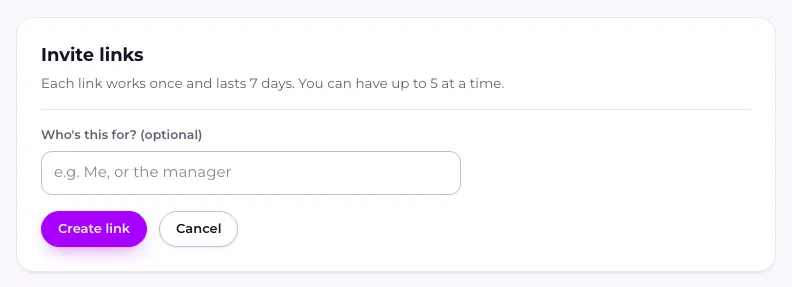
Each link works once and lasts 7 days. You can have up to 5 at a time, counting unused links and the people who’ve joined with one and are still members. To take back a link nobody has used, press Revoke beside it under Outstanding.
What happens next
Section titled “What happens next”When they open the link, they’re told they’ve been invited as a complimentary member. They join the same way as anyone else, but they’re never asked for a card. They get their pass, your welcome offers and your messages like any other member. Their membership carries on until you remove them.
If the link has expired, been revoked or already been used, they’ll see your ordinary join page, which asks them to pay. Send them a new link instead.
On Members, they show as Complimentary in the Membership column, with Not counted · Your team beside their name. They’re not included in your member count, on Home, or in the active members Flub charges you for. Once they’ve joined, they move from Outstanding to Redeemed on Free invites.
You can remove them like any member, and put them back later. Removing them frees up one of your 5.
Related
Section titled “Related”© Flub 2026 | What's new | useflub.com
Flub is a trading name of FLUB INDUSTRIES LTD, a company registered in England and Wales (no. 17491066). Registered office: The Workstation, 15 Paternoster Row, Sheffield, S1 2BX, United Kingdom.