How do I turn on the Stamp Card?
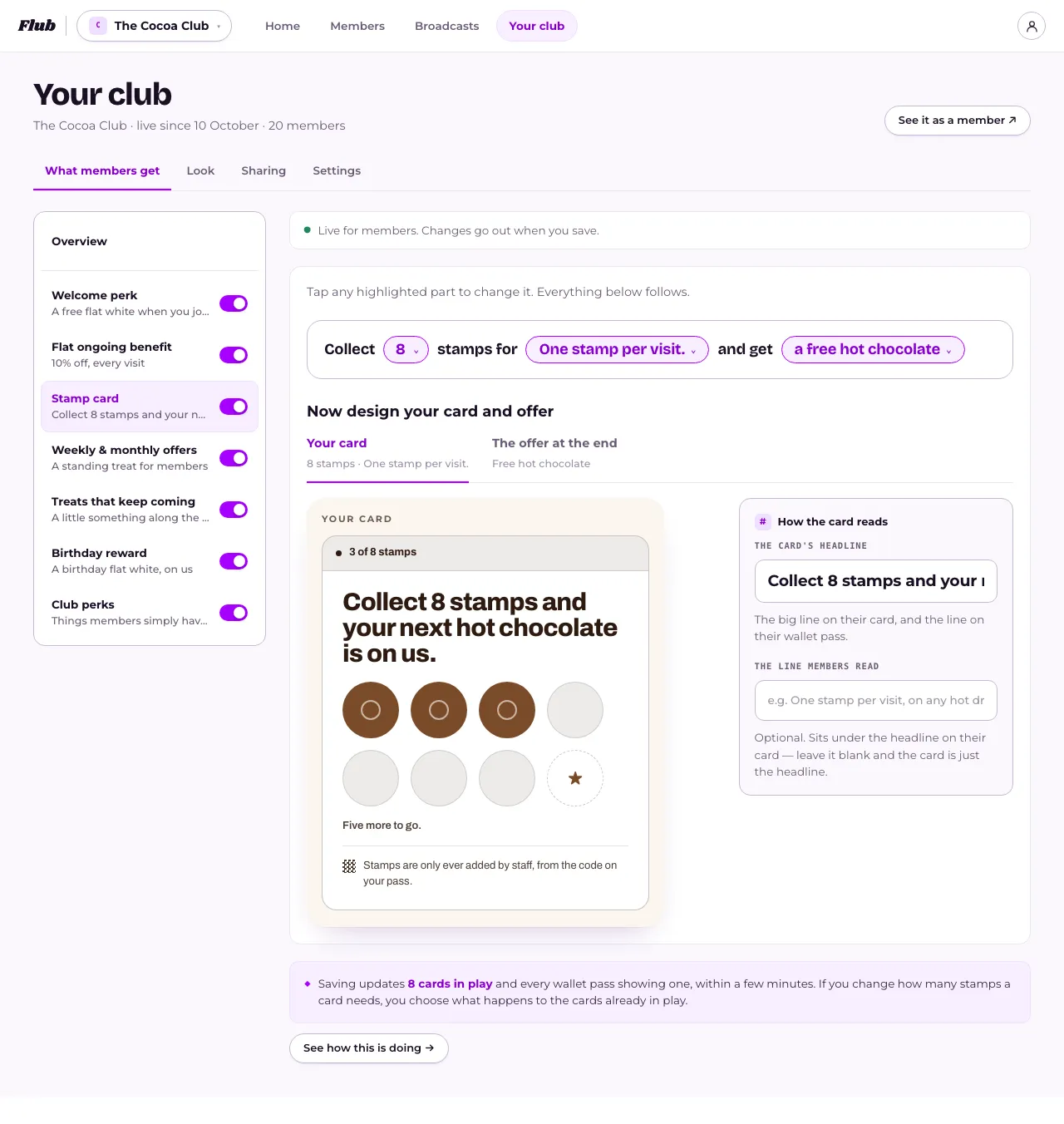
In Your club, under What members get, press Stamp card in the menu and switch it on, set how many stamps to collect and what the reward is, then press Save. Staff add stamps by scanning a member's pass, and you can see how it's doing, change it or switch it off any time.
Last checked 6 November 2026
The Stamp Card is in the menu on What members get. Switch it on, choose how many stamps fill a card and what the reward is, then save. Members are only offered a card once it has a reward and a headline.
- Open Your club → What members get and press Stamp card in the menu on the left.
- If it says Switched off, press Switch on and set it up.
- Fill in the sentence: how many stamps, what gets a stamp, and the reward at the end.
- Under Your card, write The card’s headline, which members see on their card and their pass, and, if you like, The line members read about what counts.
- Press Save in the bar at the bottom of the page. On a phone, an offer opens in a full-screen editor: step through it and press Save at the top right. See When do members see the changes I make?
What happens next
Section titled “What happens next”Staff give a stamp by scanning the member’s pass with their phone camera as usual, then holding the button on the page that opens. Members can’t give themselves stamps. See How do I ask staff for a PIN before they redeem an offer? if you want to lock the counter down further.
Once it’s live, open Stamp card and press See how this is doing under the editor, which opens How it’s going, to see the Last 7 days: Stamps given, Rewards used, members One stamp away, and Cards in play. See How do I know if my Stamp Card is working?
To stop it, switch it off: How do I stop the Stamp Card? People keep their stamps, and switching it back on brings the card back.
Saving a new reward or headline later reaches every card in play within a few minutes. Changing how many stamps a card needs, while people hold cards, asks you first what happens to theirs: see How do I change the number on the Stamp Card?
Related
Section titled “Related”© Flub 2026 | What's new | useflub.com
Flub is a trading name of FLUB INDUSTRIES LTD, a company registered in England and Wales (no. 17491066). Registered office: The Workstation, 15 Paternoster Row, Sheffield, S1 2BX, United Kingdom.