How do I add a club perk, like priority booking or free Wi-Fi?
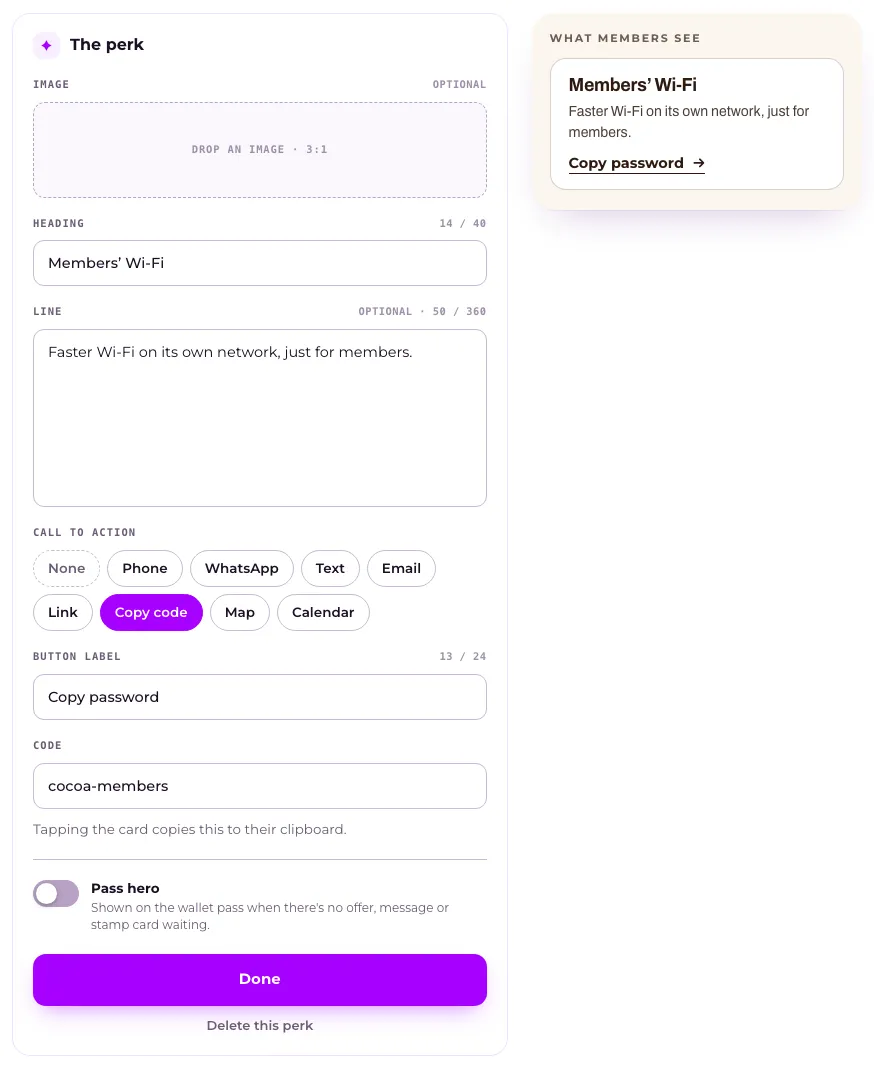
Open Your club, press Club perks in the menu on What members get, then Add a perk. Fill in a Heading, an optional Line and image, and a Call to action, press Done, then press Save at the bottom of the page. Perks are things members simply have, never redeemed, and up to six per club.
Last checked 10 October 2026
Give members things they simply have, like priority booking, free Wi-Fi or a members’ number, with nothing to claim or redeem. Open Your club and press Club perks in the menu on What members get.
- Open Your club → What members get and press Club perks in the menu on the left. If it says Switched off, press Switch on and set it up.
- Press Add a perk (or Add first perk). To change one you have, press Edit on its row.
- Fill in a Heading (up to 40 characters) and, if you like, a Line (up to 360) and an image.
- Under Call to action, choose what the perk’s button does: None, Phone, WhatsApp, Text, Email, Link, Copy code, Map or Calendar. Then fill in its Button label and the detail it needs.
- Press Done to go back to your list. The new perk says New · not saved yet.
- Press Save in the bar at the bottom of the page. Until then, members see your perks as they were. See When do members see the changes I make?
On a phone, a perk opens full screen when you tap it or Add a perk. Choose its button under What should it do? (press Change), then press Save at the top right, which saves the page too. Delete perk is at the bottom.
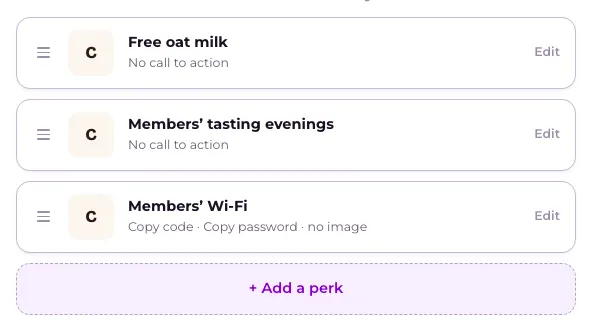
Drag a perk to change the order members see them in. Six is the most a club can have.
To remove one, open it and press Delete this perk (on a phone, Delete perk). It stays on your list, struck through, saying Removed when you save, with Undo beside it until you save.
On the wallet pass
Section titled “On the wallet pass”Turn on Pass hero in a perk to show it on the wallet pass when a member has nothing else waiting. Only one perk can be the pass hero.
This only works when your pass is set to show Your latest offer. Otherwise the perk says so, with a link to change it in What your pass shows.
What happens next
Section titled “What happens next”A club perk is never redeemed and never expires. Once you save, it shows on every member’s profile straight away. If your club hasn’t launched yet, perks show on members’ profiles once you launch.
Removing a perk takes it off every member’s profile when you save. Overview on What members get lists every perk you have.
Perks are for every member, so you can’t add one to a single member’s pass. To treat just a few people, send them an offer instead.
Related
Section titled “Related”© Flub 2026 | What's new | useflub.com
Flub is a trading name of FLUB INDUSTRIES LTD, a company registered in England and Wales (no. 17491066). Registered office: The Workstation, 15 Paternoster Row, Sheffield, S1 2BX, United Kingdom.