How do I try my club as a member before I launch?
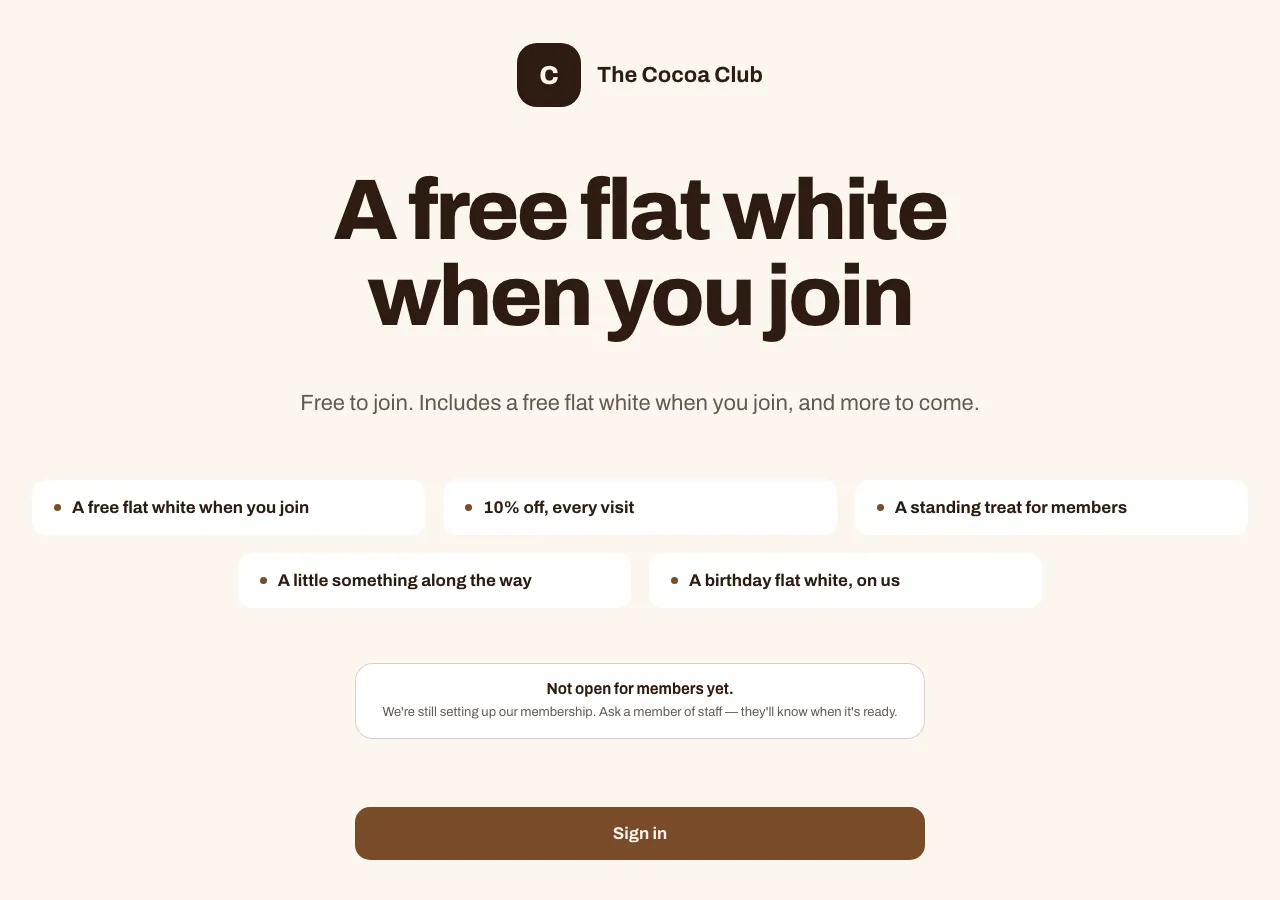
Press See it as a member ↗ at the top of any Your club page. Your join page opens in a new tab, so you can join, add the pass and look round the member page while your club is still a draft. Everyone else sees "Not open for members yet." until you launch.
Last checked 26 October 2026
Press See it as a member ↗ at the top of any Your club page. Your club opens in a new tab, just as a member would find it, so you can join and look round before anyone else can.
- Open Your club.
- Press See it as a member ↗ at the top right. Your join page opens in a new tab.
- Join the way a member would, and add the pass to your phone’s wallet.
- Look round your pass and member page. Anything you’d change, change it in Your club, then press See it as a member ↗ again to check.

Good to know
Section titled “Good to know”- It’s just for you. Each press makes a fresh link that works once, within 30 minutes. A forwarded or reopened link shows the page everyone else sees.
- Everyone else waits. While your club is a draft, anyone who follows your link or scans your code sees “Not open for members yet.” While you look round, a line at the top of your join page reminds you of that. It opens by itself the moment you launch, so nothing you’ve printed needs redoing.
- The join form has a line for members. Under the join button it says “We’ll send you our offers by email or text — unsubscribe any time.” (or “by email”, or “by text”, to match what your form asks for), with links to your club’s privacy policy and terms. Your privacy policy explains the unsubscribe link and the Reply STOP line on your texts.
- You won’t count. If you join, you’ll appear in Members with a Test tag, and you’re left out of your member numbers.
- Paid clubs need payments first. If your club charges for membership, the join page stays closed, even to you, until you’ve set up where the money lands and set a price.
Once your club is live, the same button takes you straight to your real join page.
Related
Section titled “Related”© Flub 2026 | What's new | useflub.com
Flub is a trading name of FLUB INDUSTRIES LTD, a company registered in England and Wales (no. 17491066). Registered office: The Workstation, 15 Paternoster Row, Sheffield, S1 2BX, United Kingdom.